
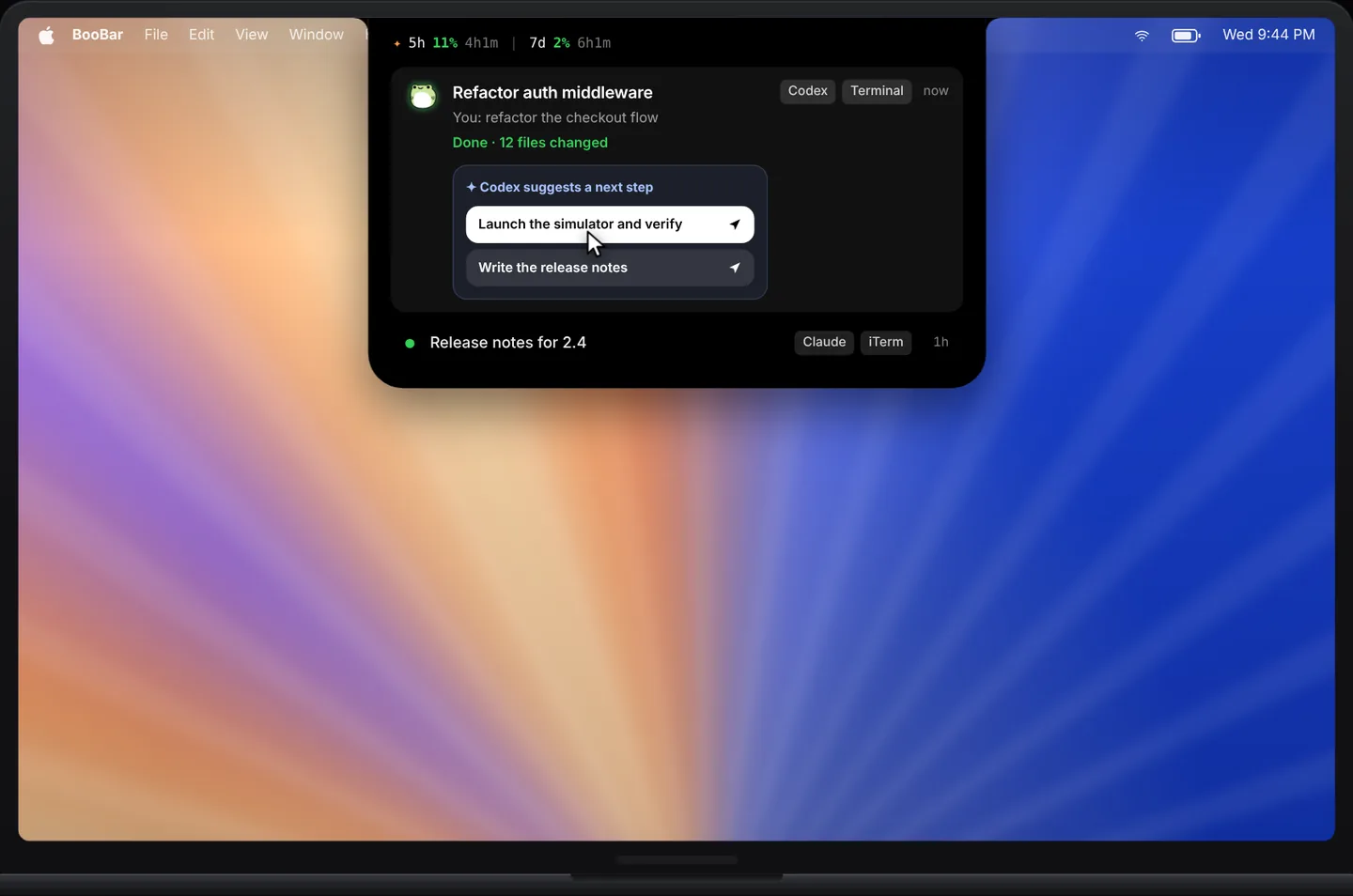
Live status for every thread
Each Codex session shows up with its real thread title, its state and its latest activity. Running threads stay at the top; finished ones fade out after you've seen them.
- Running, needs approval or done — sorted so what needs you comes first.
- The latest output and event count, without switching to the terminal.
- A finished task opens the island on the task tab with a single chime.
Usage at a glance
A small strip shows how much of your 5-hour and weekly Codex usage is left, so you can pace long sessions instead of hitting the limit halfway through a refactor.
Approvals and one-click next steps
When Codex asks before running a command, answer from the island. When it finishes and suggests what to do next — “launch the simulator and verify”, “write the release notes” — send that step back to the same session with one click.
- Approve or deny without leaving the app you're in.
- Next steps go back to the right thread automatically.
- Works next to Claude Code in the same task list.
BooBar is an independent app and is not affiliated with OpenAI or Anthropic. Codex and Claude Code are trademarks of their respective owners.
Questions, answered
Which Codex sessions does BooBar show?
The Codex sessions running on your Mac. BooBar reads the session files Codex already writes locally and titles them with your thread names.
Does BooBar send my code anywhere?
No. Everything is read locally on your Mac; nothing is uploaded.
Can I see my Codex usage limits?
Yes. The task tab shows the remaining 5-hour and weekly usage when Codex reports it.
Do I need a MacBook with a notch?
No. BooBar works on any Mac with macOS 14 or later and can dock to the top, left or right edge.