
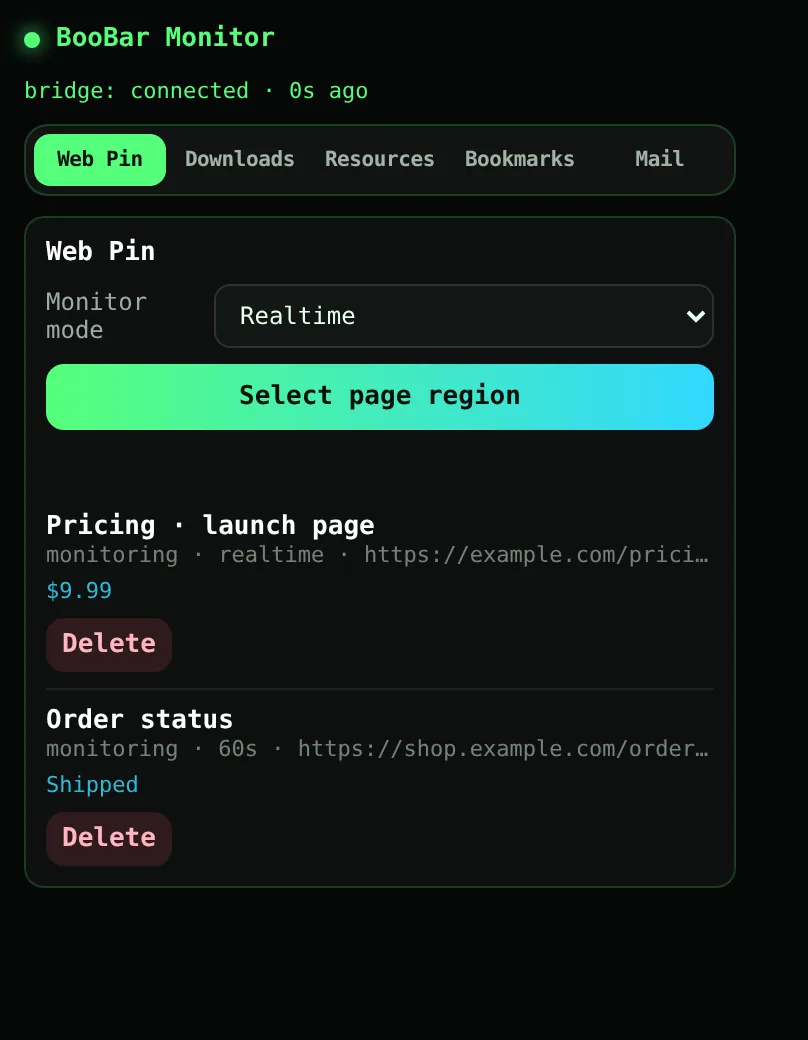
What the extension adds
Each tool is small on its own; together they keep you out of the browser's corners and menus.
- Downloads — progress, speed and size of Chrome downloads on the island.
- Web Pin — select part of any page and get an island alert when it changes, in real time or on a refresh interval.
- Resources — scan the current page for images, audio, video and PDFs and download them in a batch.
- Bookmarks — search your bookmarks and sync them to BooBar.
- Mail — new mail, verification codes and sign-in links from your webmail.
- Quick notes — right-click a selection to save it as a note.
Local only
The extension talks to one place: BooBar on your own Mac, at 127.0.0.1. There is no BooBar server in between and no account to create.
Questions, answered
Is the extension on the Chrome Web Store?
It ships inside BooBar. Open Settings › Lab › Chrome Enhance › Show Extension and load the folder with “Load unpacked” in chrome://extensions.
Does it work without BooBar running?
The popup opens, but island features — downloads, Web Pin alerts, mail codes — need BooBar running on the same Mac.
Which browsers are supported?
Google Chrome and Chromium-based browsers that can load unpacked Chrome extensions.
Where does my data go?
Only to BooBar on your Mac (127.0.0.1). Nothing is sent to a remote server.