
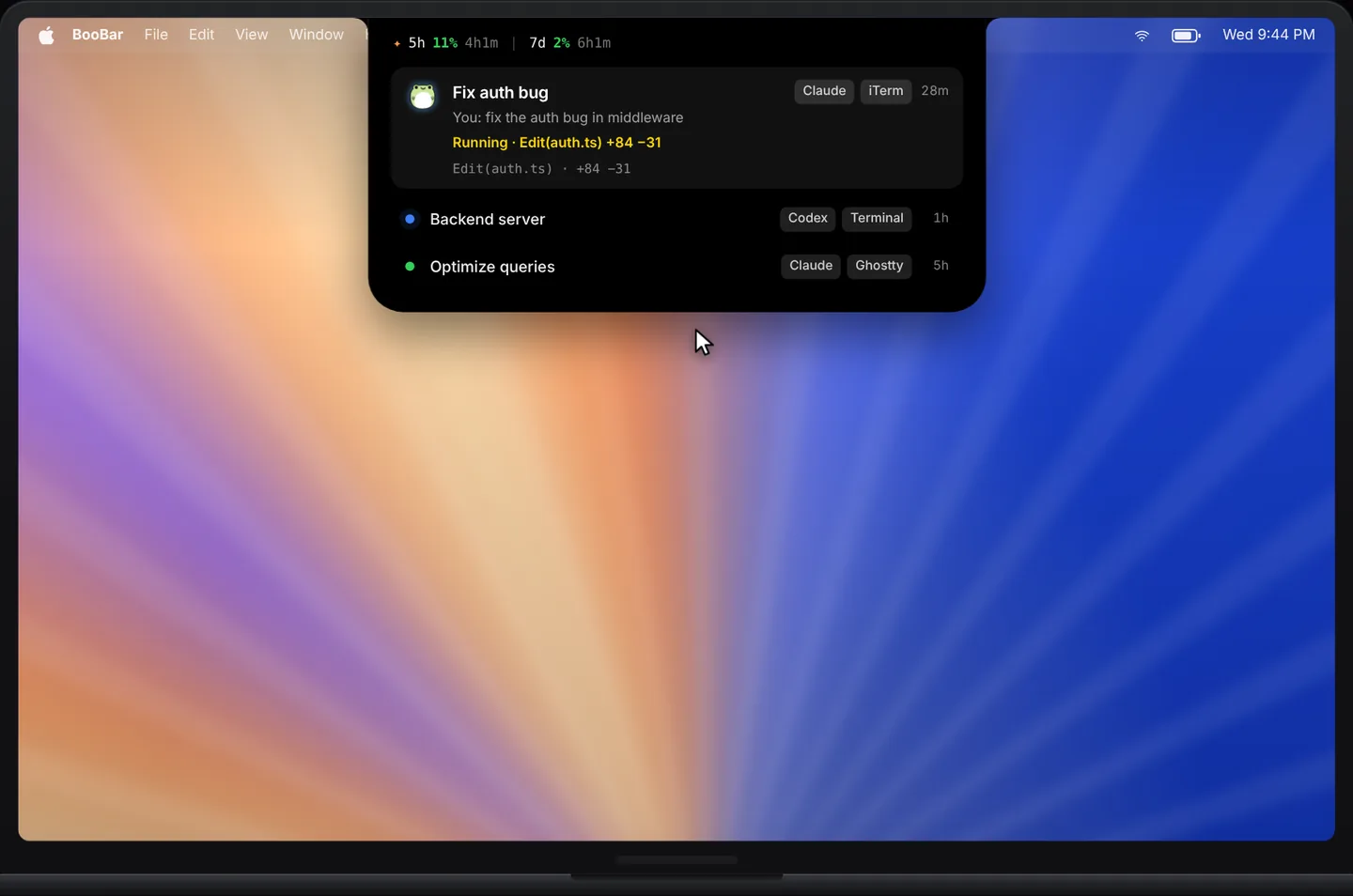
Everything that used to interrupt you, in one calm place
Instead of notifications stacking up in the corner, BooBar gives each kind of signal a compact home at the top of the screen. The island grows only as much as the content needs and shrinks back when you are done.
- Coding agents — Codex and Claude Code sessions with live status, quota and approvals.
- Now playing — artwork colours, live lyrics, an audio visualizer and controls.
- Calendar — this month and your next meeting, without opening Calendar.
- Verification codes — new sign-in codes from your inbox, ready to copy.
- GitHub and system stats — contributions, load, network and storage as quiet meters.
- System events — volume, AirPods, charging and Focus as tidy little banners.
Works on every Mac — notch or not
You don't need a MacBook with a notch. BooBar draws its own island on built-in and external displays alike, and you decide where it lives.
- Dock it to the top, left or right edge — it expands in the right direction.
- Turn on “Hide in full screen” and it steps aside for videos, games and presentations.
- Expand on hover, or only on click — whichever feels less distracting.
Native, light and private
BooBar is a native SwiftUI app, not a web wrapper. Agent status is read from the files those tools already write on your Mac, and nothing is uploaded. Buy once and keep it — no subscription.
Questions, answered
Do I need a MacBook with a notch?
No. BooBar works on any Mac running macOS 14 or later, including external displays and Macs without a notch. You can also dock the island to the left or right edge.
Will it get in the way of full-screen apps?
Turn on “Hide in full screen” in Settings and the island hides whenever another app goes full screen.
What does BooBar cost?
There is a free trial. A lifetime license is a one-time purchase (currently $9.99 for one Mac), with 2- and 3-Mac options and a 30-day no-questions refund.
Is my data sent anywhere?
No. BooBar reads local information on your Mac to show it on the island. Codex and Claude Code sessions, mail codes and downloads stay on your machine.