
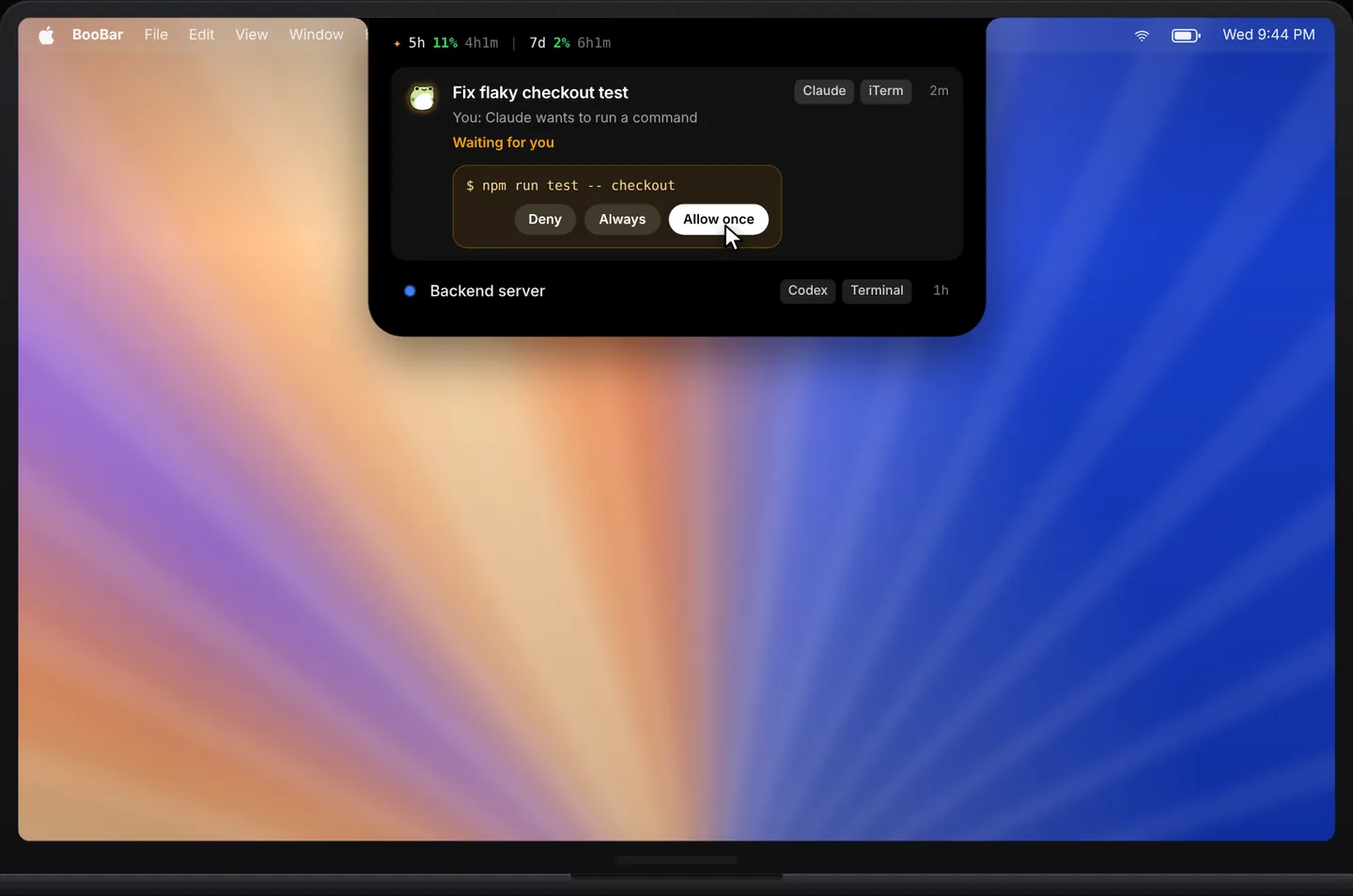
Every session at a glance
Each Claude Code session becomes a row in the island's task tab with its title, its state and the latest thing it did — so you know which project is still working, which one is done, and which one is blocked on you.
- Running, waiting for you, or done — at a glance, across several projects.
- The latest output and the files it touched, without opening the terminal.
- When a task finishes, the island opens straight on the task tab.
Approve without switching windows
Permission prompts are where agent sessions stall. BooBar shows the exact tool call — for example Bash · npm run test — with the same choices Claude Code gives you. Your answer goes straight back to Claude Code on your Mac.
- Deny, Allow once or Always, just like in the terminal.
- A chime plays only when a session finishes or needs you — never for routine output.
- Works alongside Codex: both agents share one task list.
Private by design
BooBar reads the session files Claude Code already keeps on your Mac. Nothing is uploaded, nothing is proxied, and it works offline. Sessions that run in the cloud or on the web aren't on your Mac, so they don't appear.
BooBar is an independent app and is not affiliated with OpenAI or Anthropic. Codex and Claude Code are trademarks of their respective owners.
Questions, answered
How does BooBar know what Claude Code is doing?
It reads the session logs Claude Code writes on your Mac. Nothing is uploaded; approvals are passed back to Claude Code locally.
Does it work when Claude Code runs inside VS Code or another editor?
Yes, as long as the Claude Code session runs on your Mac — it doesn't matter which terminal or editor started it.
Will it beep all the time?
No. BooBar only plays a sound when a session finishes or asks for permission, and at most once a minute per session.
Can I see Claude Code and Codex together?
Yes. Both appear in the same task list, sorted so active and waiting sessions come first.